Reading Time 2
Number of Words 351
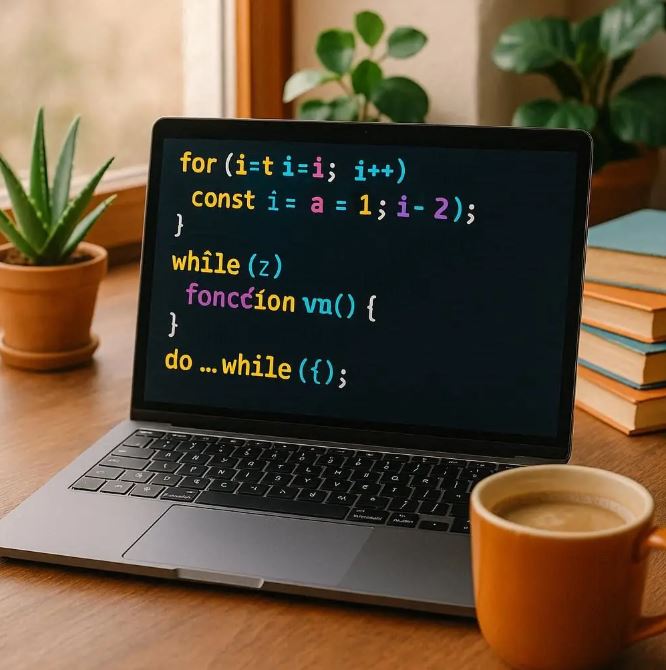
Loops are a fundamental part of programming in JavaScript, allowing you to repeatedly execute a block of code based on specified conditions. This is especially useful when working with collections of data like arrays or objects.
What Is a Loop?
A loop lets you run the same code multiple times without rewriting it. Instead of manually writing repeated instructions, loops automate repetition, saving time and reducing errors.
The For Loop
The for loop is one of the most commonly used loops in JavaScript. It consists of three parts:
-
Initialization: Where you set a starting value, usually a counter variable.
-
Condition: The loop continues to run while this condition is true.
-
Increment/Decrement: Change the counter variable after each iteration.
Basic Structure
for (let i = 0; i < 5; i++) {

  console.log(i);

}
This will log numbers 0 through 4. The condition i < 5 ensures the loop runs as long as i is less than 5, and i++ increases i by 1 each time.
Looping Through Arrays
The for loop is often used to iterate over arrays:
const colors = ['red', 'white', 'blue'];

for (let i = 0; i < colors.length; i++) {

  console.log(colors[i]);

}
This will print each color in the array.
Example: Printing Even Numbers from an Array
Using a loop combined with an if condition, you can filter values:
const numbers = [0, 1, 2, 3, 4, 5, 6, 7, 8];

for (let i = 0; i < numbers.length; i++) {

  if (numbers[i] % 2 === 0) {

    console.log(numbers[i]);

  }

}
This example prints only the even numbers from the array.
Other Loop Types
1. while Loop: Continues while a specified condition is true.
let i = 0;

while (i < 5) { console.log(i); i++; }
2. do...while Loop: Similar to while, but guarantees the loop runs at least once.
let i = 0;

do {

  console.log(i);

  i++;

} while (i < 5);
3. for...of Loop: Iterates directly over iterable objects like arrays.
const colors = ['red', 'white', 'blue'];

for (const color of colors) {

  console.log(color);

}
4. for...in Loop: Iterates over the keys of an object.
const person = { name: 'Alice', age: 25 };

for (const key in person) {

  console.log(`${key}: ${person[key]}`);

}
Best Practices for Using Loops
-
Avoid infinite loops by properly defining conditions that eventually evaluate to false.
-
When possible, use higher-order array methods like
forEach,map, orfilterfor clearer and more functional code.
JavaScript Loop Exercises
Beginner Level
-
Print Numbers from 1 to 10
Write aforloop that prints the numbers from 1 to 10 in the console. -
Sum of Array Elements
Given an array of numbers, use aforloop to calculate and print the sum of all elements. -
Print Even Numbers in an Array
Using a loop and anifstatement, print only the even numbers from the given array:[5][8][13][22][27][40].
Intermediate Level
-
Reverse an Array
Use aforloop to create a new array containing the elements of an original array in reverse order. -
Count Vowels in a String
Write a loop to count and print the number of vowels (a, e, i, o, u) in a given string. -
Nested Loops - Create a Multiplication Table
Use nestedforloops to print the multiplication table from 1 to 5 (e.g., 1x1=1, ..., 5x5=25).
Advanced Level
-
Filter Prime Numbers
Write a function that uses loops to find and return all prime numbers up to a given limit. -
Flatten a Nested Array
Using loops, flatten a nested array such as[1, [2, [3][4], 5], 6]into a single-level array. -
Fibonacci Series Generator
Write a loop-based function to generate the firstnnumbers in the Fibonacci sequence.
Solutions to JavaScript Loop Exercises
To run any snippet, open the browser (Chrome, Firefox, Edge, etc.), open Developer Tools (usually with F12 or Ctrl+Shift+I), go to the Console tab, paste the code, and press Enter to execute. Results will appear immediately.
1. Print Numbers from 1 to 10
for (let i = 1; i <= 10; i++) {
  console.log(i);
}
// Run this in the browser console to see numbers 1 through 10 printed.
2. Sum of Array Elements
const numbers = [1, 2, 3, 4, 5];
let sum = 0;
for (let i = 0; i < numbers.length; i++) {
  sum += numbers[i];
}
console.log('Sum:', sum);
// Opens the browser console, paste and run to get the sum.
3. Print Even Numbers in an Array
const arr = [5, 8, 13, 22, 27, 40];
for (let i = 0; i < arr.length; i++) {
  if (arr[i] % 2 === 0) {
    console.log(arr[i]);
  }
}
// Paste in console to see even numbers printed.
4. Reverse an Array
const original = [1, 2, 3, 4, 5];
const reversed = [];
for (let i = original.length - 1; i >= 0; i--) {
  reversed.push(original[i]);
}
console.log('Reversed array:', reversed);
// Run in console to get the reversed array logged.
5. Count Vowels in a String
const text = "JavaScript loops are fun!";
const vowels = ['a', 'e', 'i', 'o', 'u'];
let count = 0;
for (let i = 0; i < text.length; i++) {
  if (vowels.includes(text[i].toLowerCase())) {
    count++;
  }
}
console.log('Total vowels:', count);
// Copy-paste to console to get vowel count.
6. Nested Loops — Multiplication Table from 1 to 5
for (let i = 1; i <= 5; i++) {
  let row = "";
  for (let j = 1; j <= 5; j++) {
    row += `${i}x${j}=${i * j}  `;
  }
  console.log(row);
}
// Run this in browser console to see the multiplication table.
7. Filter Prime Numbers up to a Limit
function isPrime(num) {
  if (num < 2) return false;
  for (let i = 2; i <= Math.sqrt(num); i++) {
    if (num % i === 0) return false;
  }
  return true;
}
const limit = 20;
const primes = [];
for (let n = 2; n <= limit; n++) {
  if (isPrime(n)) primes.push(n);
}
console.log('Primes:', primes);
// Paste in console to see prime numbers.
8. Flatten a Nested Array (One Level Deep)
const nested = [1, [2, [3, 4], 5], 6];
const flat = [];
for (let i = 0; i < nested.length; i++) {
  if (Array.isArray(nested[i])) {
    for (let j = 0; j < nested[i].length; j++) {
      flat.push(nested[i][j]);
    }
  } else {
    flat.push(nested[i]);
  }
}
console.log('Flattened array:', flat);
// Run in console for flattening one-level nested arrays.
9. Fibonacci Sequence Generator (First n Numbers)
function fibonacci(n) {
  const fib = [0, 1];
  for (let i = 2; i < n; i++) {
    fib[i] = fib[i - 1] + fib[i - 2];
  }
  return fib.slice(0, n);
}
console.log(fibonacci(10));
// Paste this in console to generate first 10 Fibonacci numbers.