Reading Time 7
Number of Words 1503

Finding the right keywords is one of the most important steps before creating any piece of content.
Fortunately, there are several free tools available that can help you discover keyword ideas, analyze search intent, and plan your SEO strategy.
Below, we’ll explore the best free keyword research tools, explain how to use each one, and show practical examples that even beginners can follow.
What Are Keywords and What Are They Used For?
Keywords are the words or phrases that people type into search engines like Google, Bing, or YouTube to find information, products, or services.
In simple terms, they are the connection between what users search for and the content you offer on your website.
🧩 What Exactly Are Keywords?
A keyword can be a single word or a longer, more specific phrase.
For example:
-
Short or generic:
shoes -
More specific (long-tail):
leather shoes for women
This difference matters: generic keywords attract a large amount of traffic but also a lot of competition. Long-tail keywords usually have fewer searches, but they bring more focused visitors who already know what they want.
🎯 What Are Keywords Used For?
-
To rank your website in search engines
Search engines use the keywords found in your titles, text, and meta tags to understand what your page is about and show it to the right audience. -
To attract relevant traffic
Using the right keywords helps bring visitors who are already searching for exactly what you offer — whether it’s articles, products, or services. -
To plan your content
Keyword research reveals what topics your audience is most interested in.
For example, if many people search for “how to bake bread without an oven”, that’s a perfect idea for a new blog post. -
To understand user intent
Keywords reflect what the user wants to achieve.-
“buy” → commercial intent
-
“what is” → informational intent
-
“reviews” → comparative intent
-
-
To improve your marketing and SEO campaigns
In advertising (like Google Ads), keywords determine when your ad appears.
In SEO, they guide how you write your titles, meta descriptions, and body content so your pages can rank higher organically.
🧠 Tip for Beginners
Before writing an article or promoting a product, ask yourself:
“What would my ideal customer type in Google to find this?”
That phrase is your seed keyword. Then, you can use free tools — such as the Lookkle Keyword Research Tool — to discover more specific variations and plan your content around them.
Lookkle Keyword Research Tool
The Lookkle Keyword Research Tool is a free online platform that helps you discover and analyze keywords from real search data. It shows you keyword ideas, estimated traffic, ranking difficulty, and top competitor pages, all in one clean interface. You can search by keyword or by domain to reveal what drives organic visibility in your niche.
How to use it:
-
Go to the Lookkle Keyword Research Tool.
-
Enter a keyword (for example, “wireless headphones”).
-
Click Search and wait a few seconds for Lookkle to analyze the data.
-
Review the keyword list: it displays related phrases, the number of monthly searches on major search engines, the cost per click (CPC), and the level of competition for each of them.
-
Copy the results to build your content plan.
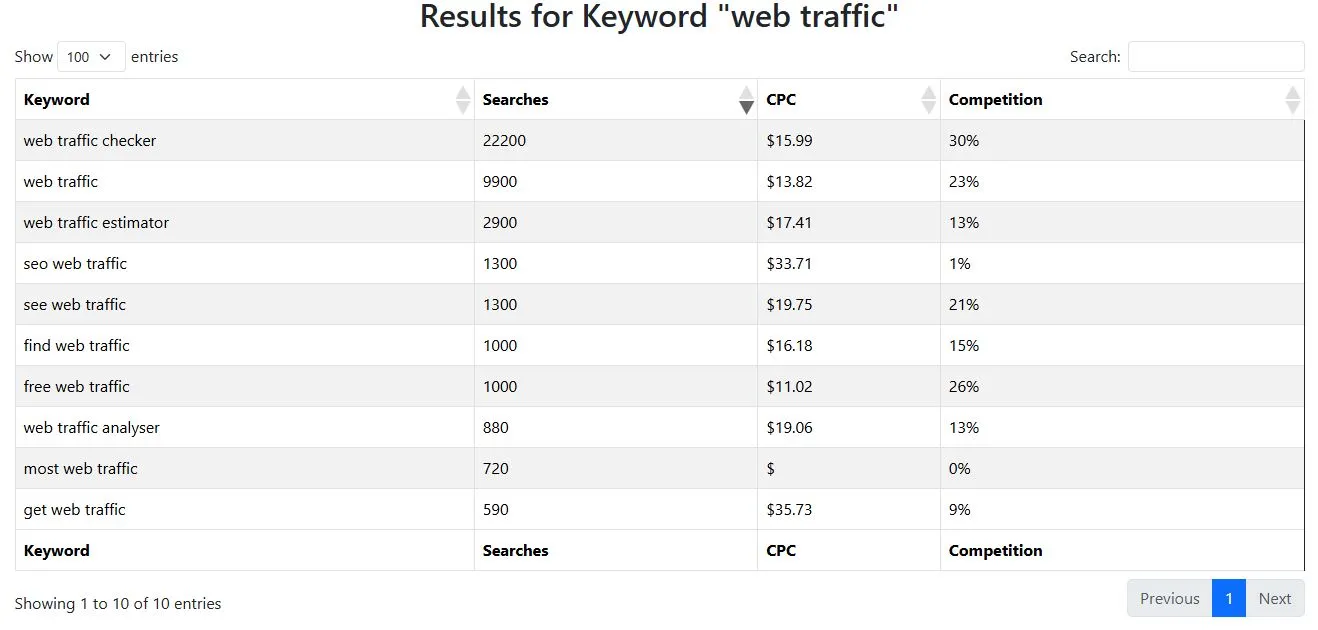
Example:
If you manage a tech review blog and search for “mini PC”, Lookkle will display keyword variations such as “best mini PC for streaming”, “Intel NUC vs Beelink”, or “mini PC with AMD Ryzen”. You’ll also see which competitor pages rank highest for each term. From there, you can identify content gaps and create new articles that target those opportunities.
Tip for beginners:
Start with 3–5 general keywords in your niche. Use Lookkle to find specific long-tail versions (e.g., “budget mini PC for office work”). These terms are easier to rank for and attract visitors with clear intent — perfect for new websites building early SEO traction.
Google Keyword Planner
Google Keyword Planner is one of the oldest and most reliable free tools for keyword discovery. It’s part of Google Ads, but you don’t need to run paid campaigns to use it.
🔍 How to Access Google Keyword Planner
-
Go to ads.google.com and sign in with your Google account.
-
Click on the Tools & Settings icon (the wrench in the top menu).
-
Under “Planning,” select Keyword Planner.
-
Choose between two main options:
-
Discover new keywords – to find new keyword ideas.
-
Get search volume and forecasts – to check how popular specific keywords are.
-
💡 How to Use Google Keyword Planner
Let’s say you run a blog about home fitness and you want to find topics people search for.
-
Click Discover new keywords.
-
Type in a phrase like “home workout” or “exercise without equipment”.
-
Choose your target country and language, then click Get results.
-
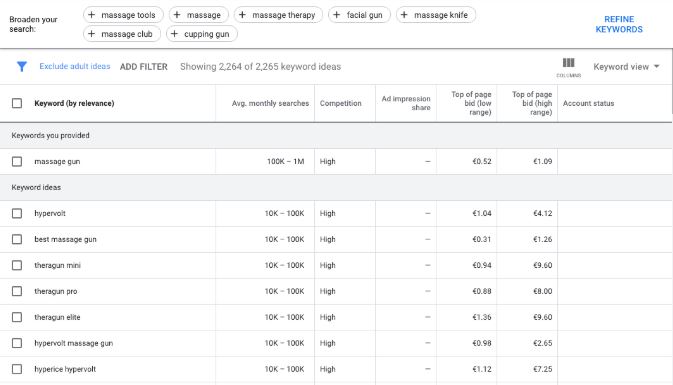
You’ll get a table with keyword ideas such as:
-
home workout for beginners
-
30-minute workout at home
-
how to lose weight without gym
-
-
Each keyword includes:
-
Average monthly searches – estimated search volume.
-
Competition – how many advertisers are targeting that keyword.
-
Top of page bid (low and high range) – how much advertisers pay for it in Google Ads (useful for estimating commercial value).
-
🧭 Example for Beginners
If you sell handmade candles online, you might start by typing “scented candles”.
Google Keyword Planner could suggest ideas like:
-
best scented candles for relaxation
-
soy candles with essential oils
-
gift candles online
You can then use those keywords to:
-
Write product descriptions (e.g., “best soy candles for relaxation”)
-
Create blog posts (e.g., “Top 10 Gift Candle Ideas for 2025”)
-
Build ad campaigns targeting people already searching for these terms
Example:
Typing “healthy recipes” may suggest “low carb dinner ideas” or “quick vegetarian lunches”. These are perfect for planning your next set of blog posts.
Google Trends
Google Trends shows how interest in a search term changes over time. It’s great for identifying seasonal patterns and trending topics.
How to use it:
-
Go to Google Trends.
-
Type a keyword like “travel insurance”.
-
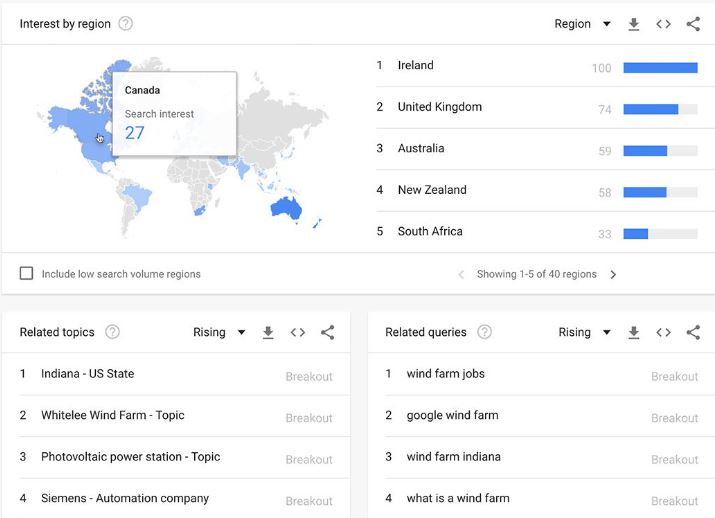
See how search interest rises or falls across months and countries.
-
Compare multiple keywords to see which one is gaining traction.
Example:
You might notice that “travel insurance for Europe” spikes every summer — a perfect time to create fresh travel-related content.
Ahrefs Free Keyword Generator
Ahrefs’ free tool gives you up to 100 keyword ideas along with basic metrics like search volume and keyword difficulty.
How to use it:
-
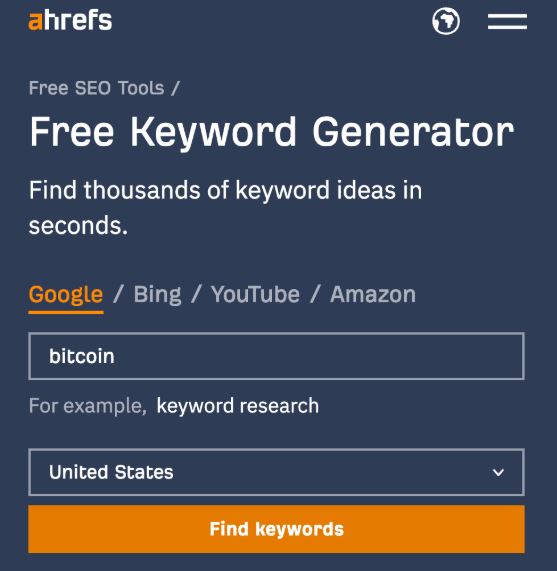
Enter a keyword such as “SEO tools”.
-
Choose the country and click Find Keywords.
-
Browse keyword ideas sorted by popularity and difficulty.
Example:
Typing “SEO tools” might bring up ideas like “free SEO audit tools” or “keyword research software”. You can use these as topic ideas for tutorials or product reviews.
Ubersuggest
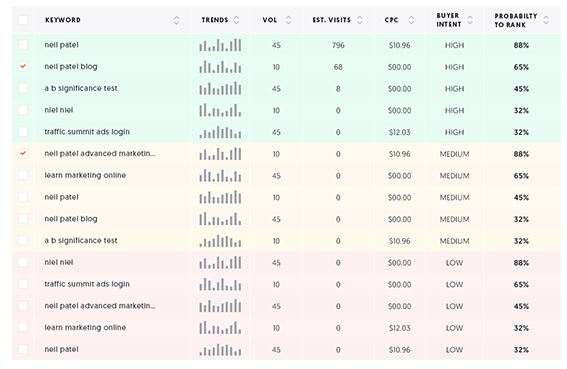
Ubersuggest by Neil Patel combines keyword suggestions with SEO data like search volume and competition.
How to use it:
-
Visit Ubersuggest.
-
Enter a term such as “coffee beans”.
-
Check the keyword list and scroll down to view content ideas and popular pages.
Example:
Searching “coffee beans” might reveal phrases like “best coffee beans for espresso” or “Arabica vs Robusta taste”. These can inspire article titles or YouTube video topics.
Keyword Tool (Keywordtool.io)
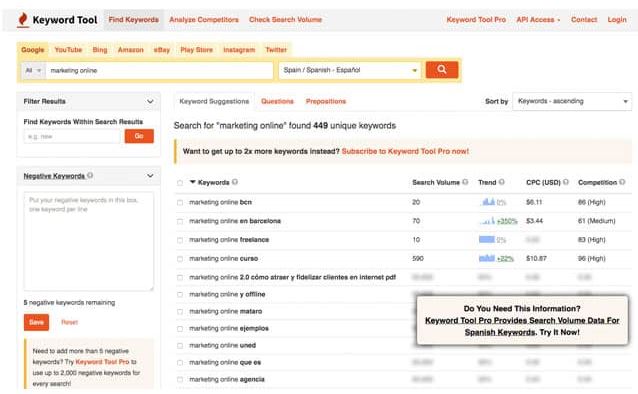
Keyword Tool uses Google Autocomplete to generate hundreds of long-tail keyword suggestions.
How to use it:
-
Go to Keywordtool.io.
-
Enter a base keyword like “fitness”.
-
Choose the search platform (Google, YouTube, Amazon, etc.).
-
Browse long-tail suggestions such as “fitness routines at home” or “fitness for beginners”.
Example:
For a YouTube fitness channel, switching the platform to YouTube will show what people are typing into YouTube search — helping you title videos more effectively.
AlsoAsked
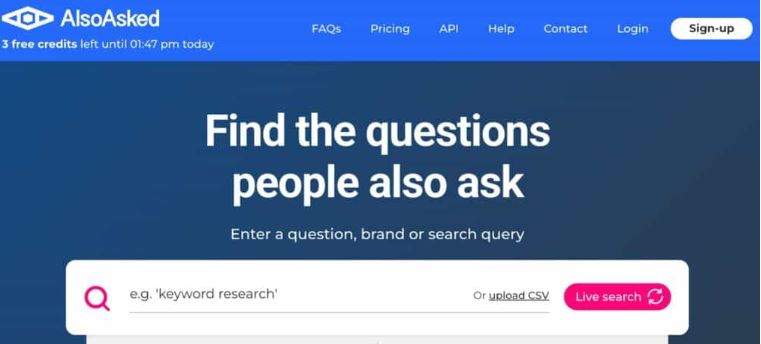
AlsoAsked visualizes questions people commonly ask around a keyword — excellent for FAQ and topic clustering.
How to use it:
-
Go to AlsoAsked.com.
-
Enter a topic like “electric cars”.
-
It will display a tree of related questions people ask on Google.
-
Use these as subheadings in your content.
Example:
Entering “electric cars” may show “How long do electric car batteries last?” or “What is the cheapest EV?”. Each of these can become a blog section.
AnswerThePublic
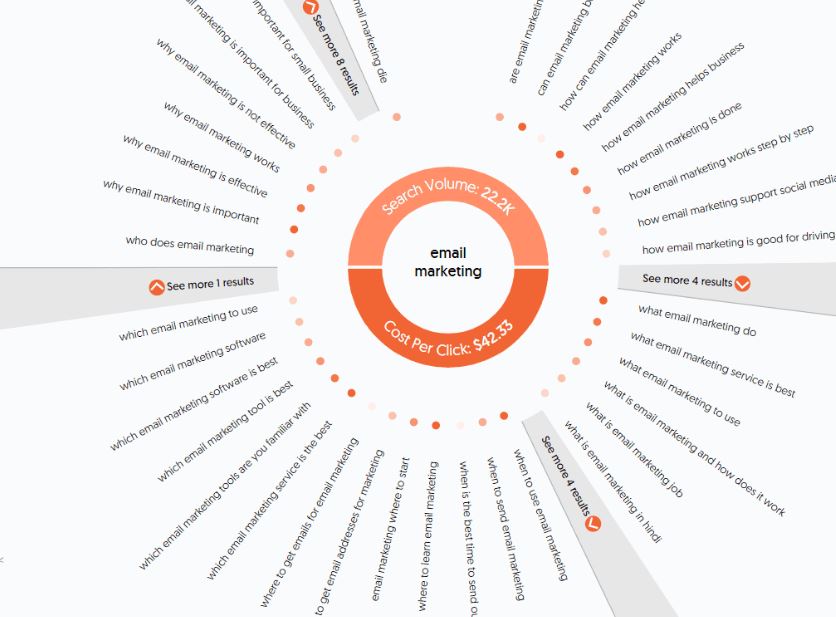
AnswerThePublic turns search data into visual maps of questions and phrases.
How to use it:
-
Visit AnswerThePublic.
-
Enter a keyword such as “photography”.
-
Review the “who, what, where, when, why” questions.
-
Download or save your favorite queries.
Example:
Typing “photography” generates questions like “What camera is best for beginners?” and “Why is aperture important?”. These are ideal for beginner-friendly blog posts.
Soovle
Soovle collects autocomplete suggestions from multiple search engines at once — including Google, YouTube, Amazon, and Bing.
How to use it:
-
Visit Soovle.com.
-
Type a keyword such as “smartphones”.
-
Watch as results appear from different sources.
-
Copy interesting suggestions to build your keyword list.
Example:
For “smartphones”, Amazon might suggest “budget smartphones under $200” while YouTube suggests “smartphone camera comparison” — great for eCommerce or review sites.
Bing Webmaster Tools
Bing’s platform also includes keyword research and performance insights.
How to use it:
-
Sign in at Bing Webmaster Tools.
-
Add your site and verify ownership.
-
Go to the Keyword Research tab.
-
Type a keyword to see search volume and trends across Bing.
Example:
If you manage a news blog, checking “tech news” can reveal queries like “AI updates 2025” or “latest smartphone leaks” — topics you can cover early.
Wordtracker
Wordtracker focuses on long-tail keywords that can attract targeted visitors.
How to use it:
-
Visit Wordtracker.
-
Type a keyword like “digital marketing”.
-
Explore suggested terms and their estimated search counts.
Example:
It may show phrases such as “digital marketing courses free” or “small business digital strategy”, which are excellent ideas for niche content.
KWFinder
KWFinder by Mangools is known for its clean interface and beginner-friendly setup.
How to use it:
-
Go to KWFinder.com.
-
Enter a keyword such as “home decor ideas”.
-
View related keywords and see how difficult they are to rank for.
-
Save your favorites to a keyword list.
Example:
Searching “home decor ideas” might suggest “modern living room setup” or “DIY wall decor trends”. You can use these to structure a blog category.



