Reading Time 8
Number of Words 1717
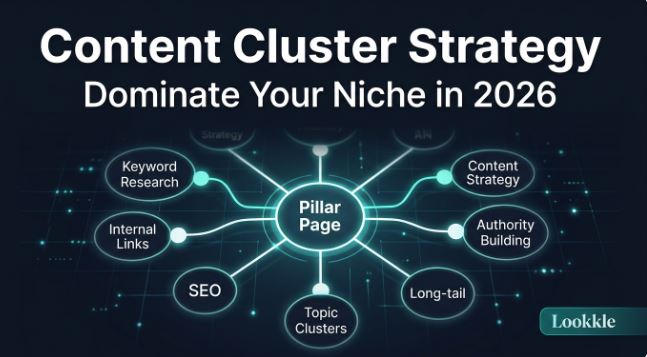
If you've been publishing articles on your blog for a while and feel that Google isn't giving you the ranking you deserve, the problem is probably not the quality of your content, but how it's organized. A content cluster strategy is the answer: an information architecture that transforms your site into an undisputed authority on the subject matter in Google's eyes.
In summary: A content cluster is a group of interconnected articles that revolve around a central theme (pillar page). Google rewards this structure with better rankings because it demonstrates depth, consistency, and authority in the niche.
What is a Content Cluster?
A content cluster (also called a topic cluster ) is a content organization structure based on a pillar page and multiple satellite articles that delve deeper into related subtopics, all interconnected through strategic internal links.
The methodology was popularized by HubSpot in 2017 and has since become the SEO standard for sites that want to rank for complex topics consistently.
Basic structure of a cluster:
📄 PILLAR PAGE (main topic, 3,000+ words)
- ├── 📝 Satellite Article 1 (subtopic A)
- ├── 📝 Satellite Article 2 (subtopic B)
- ├── 📝 Satellite Article 3 (subtopic C)
- ├── 📝 Satellite Article 4 (subtopic D)
- └── 📝 Satellite Article N (subtopic N) (all linked to each other and to the pillar page)
Why Google Rewards Content Clusters
Google doesn't just evaluate individual pages; it evaluates entire websites. When it detects that you have dozens of well-connected articles on the same topic, it understands that you are a reference in that niche and ranks you above competitors with isolated articles.
The specific benefits are:
-
Greater subject authority — Google sees you as an expert in the niche
-
Better distribution of link juice — internal links strengthen all pages in the cluster
-
Positioning for long-tail keywords — each satellite article captures its own specific searches
-
Cannibalization reduction — prevents two articles from competing for the same keyword
-
Longer time on site — users navigate from one item to another within the cluster
Step 1: Identify your Pillar Theme
The main topic should be broad, strategic, and have high search demand. It cannot be so specific that it lacks subtopics, nor so generic that it's impossible to rank for.
How to do it:
-
Access the Keyword Analyzer and enter your seed keyword (e.g., "mini PC", "retro emulation", "local SEO")
-
Filter by monthly search volume > 1,000 searches and medium difficulty (KD 20-60)
-
Identify the keyword with the greatest potential: that will be your pillar topic.
-
Check if the top Google results for that keyword are pillar pages or standalone articles — if they're standalone articles, there's a golden opportunity.
Criteria for a good pillar theme:
-
Sufficient search volume (minimum 500 searches/month)
-
Broad enough to generate 8-15 subtopics
-
Directly related to your business or monetization
-
Without a dominant competitor with an already established cluster
Step 2: Define the Satellite Items
Once you have your main topic, you need to identify all the surrounding subtopics. Each subtopic will be a separate, independent article.
Sources for finding subtopics:
-
Google's "People Also Ask" results—the questions that appear for your pillar keyword are perfect subtopics.
-
Lookkle Keyword Explorer — enter the pillar keyword and export all related long-tail variants
-
Google Autocomplete — type your keyword and see the suggestions
-
Forums and Reddit — what questions the community is asking about your topic
-
Competitor analysis — what articles your competitors are posting about that topic
Practical example — Mini PC niche:
| Pilar Topic | Satellite Articles |
|---|---|
| Best Mini PCs 2026 | Mini PC for gaming / Mini PC for home lab / Low-power mini PC / Minisforum vs Beelink / Best mini PC for under €300 / How to choose RAM for a mini PC / Mini PC with Windows 11 / Mini PC for retro emulation / Mini PC vs Intel NUC |
Golden rule: Each satellite article should address a single search intent and not overlap with another article in the cluster. If two articles answer the same question, you're creating cannibalization.
Step 3: Create the Pillar Page
The pillar page is the heart of the cluster. It should be a lengthy piece of content (minimum 3,000 words) that addresses the topic comprehensively without exhausting any subtopics, leaving room for satellite articles to delve deeper into each area.
Ideal structure of a pillar page:
-
Introduction — defines the topic, why it matters, and what the reader will learn
-
Table of contents — facilitates navigation and featured snippets
-
Main sections — one H2 for each subtopic of the cluster (with a link to the corresponding satellite article)
-
Comparisons or tables — visual summary of key concepts
-
FAQ — Frequently asked questions about rich results in Google
-
Conclusion — synthesis and CTA
SEO optimization of the pillar page:
-
Use the On-Page Analyzer to verify that the keyword "pilar" appears in the H1, first 100 words, at least 3 H2s, and in the meta description.
-
Check with the Keyword Density module that you do not exceed 2.5% repetition
-
Verify that the page loads in less than 2.5 seconds using Speed Analyzer
Step 4: Create the Satellite Items
Each satellite article must be optimized for its own specific keyword and, at the same time, connect with the cluster ecosystem.
Checklist for each satellite item:
-
Specific long-tail keyword in the title (H1)
-
Between 800 and 2,000 words depending on the depth of the subtopic
-
Internal link to the pillar page (minimum 1, with descriptive anchor text)
-
Internal link to 2-3 related satellite articles from the cluster
-
Unique meta description with the article's keyword
-
At least one image with optimized alt text
-
Schema markup (Article or FAQ) for rich results
Tips:
-
Before writing → use the Keyword Analyzer to confirm the volume and difficulty of the article's keyword
-
While writing , consult the SERP Analysis module to see what structures the top 10 results use. You can also verify this with a simple Google search.
-
After publishing → register the URL in Lookkle's Position Tracker to monitor its weekly evolution
Step 5: Implement the Internal Link Architecture
Internal links are the connective tissue of the cluster. Without them, Google doesn't understand the relationship between your articles, and the authority effect doesn't occur.
Internal linking rules in a cluster:
| Link type | Frequency | Anchor text |
|---|---|---|
| Satellite → Pillar | Mandatory in each article | exact pillar keyword or semantic variant |
| Pillar → Satellite | Required (one link per subtopic) | Article keyword satellite |
| Satellite → Satellite | When there is a direct relationship | Descriptive, not generic |
| Pillar → Pillar (other clusters) | Occasional | Keyword of the other pillar |
Always avoid:
-
Generic anchor text ("click here", "see more", "this article")
-
More than 100 internal links on a single page
-
Linking to unpublished articles (broken links harm crawling)
Internal link audit:
-
Detect orphaned articles (those without any internal links pointing to them)
-
View the distribution of internal PageRank among your articles
-
Identify opportunities for linking between already published articles
Step 6: Monitor and Expand Your Cluster
A content cluster is not static. It strengthens over time by incorporating new satellite articles, updating the core content, and optimizing those that are already ranking well.
Key metrics to track:
-
Average cluster position — is the pillar page rising?
-
Keyword coverage — how many of the cluster's target keywords already have an article?
-
Organic CTR — Are the titles and meta descriptions attracting clicks?
-
Landing pages — are satellite articles attracting traffic on their own?
-
Time on page — Do users navigate between articles in the cluster?
When to expand the cluster:
-
When the pillar page ranks in the top 10 for its keyword → add more satellites for long-tail keywords
-
When a satellite ranks in the top 5 → it creates even more specific second-level articles
-
When you detect new related searches on Lookkle that you don't have covered
Real Example: Content Cluster for Mini PC Niche
This is what a complete cluster to dominate the mini PC niche would look like:
Pilar Page: Complete Mini PC Guide: Everything You Need to Know in 2026
Satellite Articles (Level 1):
-
Best Mini PCs for under €300
-
Mini PCs for gaming: the most powerful of 2026
-
Mini PCs for home labs and servers
-
Mini PC for retro emulation
-
Minisforum vs Beelink vs ACEMAGIC
-
How to install Proxmox on a Mini PC
-
Mini PC vs Intel NUC: Which is more worthwhile?
-
Mini PC with Ryzen AI: Local AI Guide
Satellite Articles (Level 2 — depth):
-
Beelink SER8 full review
-
Minisforum UM890 Pro analysis
-
How to choose RAM for a Mini PC: technical guide
Common Mistakes When Creating Content Clusters
-
Creating too many pillars at once —it's better to fully master one niche before opening another cluster
-
Forgetting to update the pillar page — when you publish new satellites, you must add the link to the pillar
-
Satellite articles too short — a 300-word satellite article doesn't rank well or add authority
-
Keyword overlap — two articles competing for the same keyword cancel each other out
-
Not monitoring — publishing without measuring position changes is working blindly
Frequently Asked Questions (FAQ)
How many articles does a cluster need to function?
A minimum viable cluster has 1 pillar page + 5 satellite articles. The optimal point is between 10 and 20 articles per cluster, although very broad niches can have 50+ articles.
How long does it take for a cluster to rank?
With a medium-authority domain, the first signs of improvement appear within 3 to 6 months. The full effect of the cluster is realized within 6 to 12 months. Use Lookkle's tracker to monitor progress week by week.
Can I have multiple clusters on the same site?
Yes, and in fact, it's ideal for sites with several topics. Each cluster should have its own pillar, and its satellite articles should be clearly differentiated from those of other clusters.
Can satellite articles rank on their own?
Absolutely. In fact, a sign that the cluster is working is that the satellites start ranking for their long-tail keywords before the pillar article even reaches the top 3. This is what captures qualified traffic from the very beginning.
How do I know if my cluster is working?
Set up a project with all the keywords in your cluster and analyze it weekly for free. When you see that 60%+ of the keywords have improved their rankings in the last 3 months, your cluster is maturing successfully.
Conclusion
Content clustering isn't just a passing SEO fad; it's how Google wants you to organize your content. A well-built cluster, monitored with SEO tools, has the potential to make you the number one resource in your niche within 12 months.
The process summarized in 6 steps:
-
Identify your pillar topic with Lookkle Keyword Analyzer
-
Define 8-15 subtopics for your satellite articles
-
Create the pillar page (3,000+ words, comprehensive but not exhaustive)
-
Write satellite articles optimized for your long-tail keywords
-
Implement the internal link architecture pillar ↔ satellites
-
Monitor the evolution and expand the cluster as it positions
The time to start is now. Every week that passes without a structured cluster is a week your competition gets ahead. 🚀



