Reading Time 10
Number of Words 2062
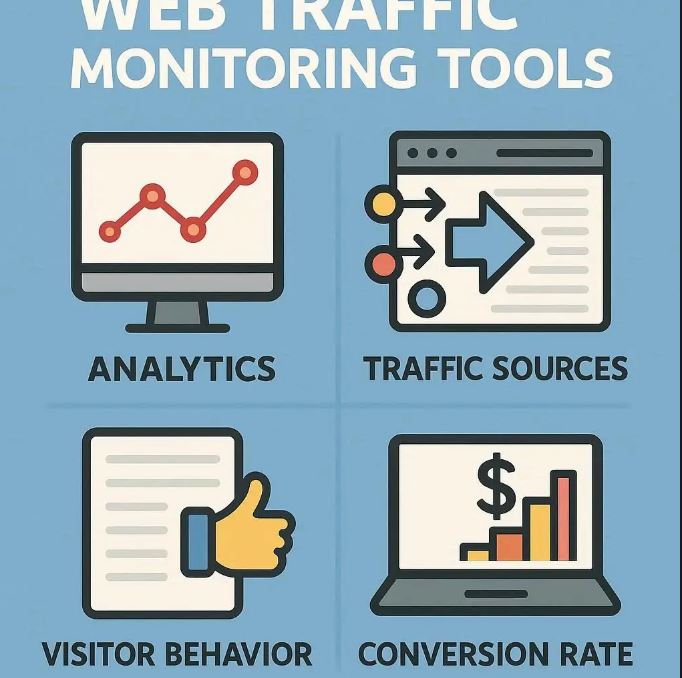
Why Web Traffic Monitoring Matters
Web traffic monitoring involves observing, analyzing, and reporting on the flow of visitors, data, and requests across your site and infrastructure.
Using tools to monitor traffic gives you insight into how users interact with your site, how the site performs in real time, and where problems may lie. Here are some of the major benefits:
-
Performance optimization: Identify bottlenecks (slow page loads, latency, bandwidth constraints) before users abandon your site.
-
Troubleshooting & diagnostics: When an issue occurs (e.g. pages failing, 500 errors, network outages), traffic data helps pinpoint root causes.
-
Capacity planning & scaling: Historical trends reveal when traffic growth might outstrip current infrastructure, helping you plan upgrades.
-
Security & anomaly detection: Unusual spikes or patterns in traffic can signal attacks (DDoS, bots, script abuse).
-
User experience insights: Understand which pages load slowly, which devices or geographies have issues, and how real users behave.
-
Compliance & reporting: For many organizations, you need logs and metrics for audits, SLA tracking, or regulatory compliance.
Without proper monitoring, your site is operating in the dark. You won’t see problems until users complain, and diagnostics become more difficult.
Important Concepts in Web / Network Traffic Monitoring
To use traffic monitoring effectively, you need to understand a few foundational concepts and methods.
Here are some of the most important ones:
1. Real User Monitoring (RUM)
Real User Monitoring (RUM) is the passive capturing of actual user interactions—page loads, requests, errors, and timings—via client-side instrumentation (e.g. injected JavaScript). Because it reflects real users, RUM helps you see the end-user experience (including device, browser, network conditions).
It differs from synthetic monitoring in that RUM only measures what real users do. Thus, it's great for detecting conditions you did not anticipate.
2. Synthetic Monitoring
Synthetic monitoring (also known as active monitoring) uses scripted transactions to mimic user behavior (e.g. navigate to homepage, login, search). These scripts run at intervals from different locations to test availability, response times, and performance.
While synthetic monitoring doesn’t capture real user behavior, it gives you proactive visibility (i.e. you detect an issue even before users start complaining).
3. Flow-based Monitoring (NetFlow, sFlow, IPFIX)
Flow protocols (like NetFlow, sFlow, IPFIX) summarize the metadata of network traffic (source IP, destination IP, ports, bytes, protocol). Flow data provides a lightweight, structured view of traffic without needing full packet capture. By aggregating flows, you can see “top talkers,” traffic volumes, and protocol breakdowns.
Flow monitoring is often more scalable than full packet analysis, yet still gives valuable insight into traffic patterns.
4. Packet Capture / Deep Packet Inspection (DPI)
Full packet capture records the complete contents of network packets passing through a network segment. Deep Packet Inspection applies filtering and analysis to inspect payloads, application protocols, and detect anomalies or malicious traffic.
This method provides the most granular insight, but also comes with high storage, performance, and privacy costs. Many systems combine flow + selective packet capture to balance detail and efficiency.
5. Baselines, Thresholds & Anomaly Detection
To understand whether traffic behavior is “normal” or problematic, you establish baselines — historical averages, expected ranges, and patterns (e.g. traffic is highest midday, lower at night). Then you set thresholds (e.g. > 200 requests/second, > 80% bandwidth utilization).
When metrics deviate beyond thresholds (or via more advanced statistical or machine-learning methods), the system flags anomalies for review or alerting.
6. Alerts & Notifications
A monitoring tool without alerts is less useful. Alerts inform you immediately (via email, SMS, dashboard, chat ops) when traffic metrics cross thresholds or anomalies occur.
Good alerting includes:
-
Tiered severity (warning, critical)
-
Suppression / deduplication to reduce noise
-
Context (which server, which client, which endpoint)
-
Escalation (if not addressed in time)
7. Dashboards & Reporting
Dashboards visually present metrics (charts, heatmaps, tables) in real time, giving you an at-a-glance view of traffic health. Reports are longer-term summaries useful for stakeholders, trend analysis, planning, and documentation.
8. Multi-Layer / Multi-Domain Monitoring
Modern web architectures often span multiple layers (frontend servers, APIs, databases, microservices, CDN, cloud) and domains. Effective monitoring tools integrate across these layers so you see how traffic flows between them and dependencies.
Also, for hybrid or cloud deployments, you’ll want visibility across on-premise, public cloud, and edge infrastructure.
Types of Traffic Monitoring / Tool Categories
To support the above concepts, tools generally fall into several categories:
-
Infrastructure / Network Performance Monitoring: Monitors routers, switches, links, interfaces, latency, packet loss, throughput.
-
Application Performance Monitoring (APM): Observes application-level metrics, request traces, errors, dependencies, often with user-to-backend correlation.
-
Log / Event Monitoring: Consumes web server logs, application logs, error logs, access logs.
-
Web Analytics / Web Traffic Tools: Focus more on visitor metrics (visits, page views, referrers, geo, session paths) rather than low-level network data.
-
Security / Intrusion Detection / Network Detection & Response (NDR): Tools focused on detecting malicious patterns or threats within traffic.
-
Hybrid / Observability Platforms: Tools that combine many of the above (flows, logs, metrics, traces) into unified visibility.
Some tools specialize in one area; others integrate multiple approaches to provide end-to-end visibility.
Common Tools & Techniques (Examples)
Here are a few illustrative tools and methods (keep in mind the landscape is constantly evolving):
-
GoAccess: an open-source log analyzer that processes web server logs in real time with a terminal or web UI.
-
MRTG (Multi Router Traffic Grapher): tracks bandwidth usage on network links using SNMP and generates graphs over time.
-
Webalizer: web server log analysis tool generating graphical reports from access logs.
-
Justniffer: a TCP packet sniffer that logs response times and HTTP traffic details.
-
Many modern platforms (Datadog, New Relic, Dynatrace, etc.) integrate RUM, synthetic monitoring, APM, flows, and more.
Each tool has tradeoffs in ease of deployment, depth of insight, resource overhead, and scalability.
How to Choose & Deploy Web Traffic Monitoring Tools
To choose the right tool(s) and deploy effectively, here is a step-by-step guide:
-
Define your goals & requirements
What are the key metrics you care about (response time, error rates, throughput)? Which components (frontend, API, database, network) do you need visibility over? -
Decide on scope & coverage
Start with critical services, then expand. Make sure you cover all relevant infrastructure layers and user geographies. -
Select tools & balance sophistication vs complexity
Don’t overengineer. If a simple log-analyzer or flow-based tool gives the core visibility you need, start there. Add APM, packet capture or anomaly detection later. -
Instrument properly
-
For RUM: embed client-side code (JavaScript snippets)
-
For flows: enable NetFlow/sFlow/IPFIX on switches/routers
-
For logs: centralize and standardize log formats
-
For packet capture: plan for selective capture, not full always-on
-
-
Establish baselines & alerting policies
Let the system “warm up” and collect data to understand normal ranges. Then configure alerts intelligently to minimize false positives. -
Iterate & refine
As traffic, architecture, and user behavior evolve, monitoring setups must adapt. Review alerts, dashboards, and thresholds periodically. -
Integrate with slack, ticketing, ops workflows
Monitoring is most effective when alerts tie into your incident response, ticketing, and on-call processes. -
Ensure privacy, compliance & governance
Especially when using packet capture or analyzing user-level behavior, understand applicable data privacy laws, anonymization practices, and log retention policies.
Pitfalls & Best Practices
-
Alert fatigue: Too many alerts will lead to ignored notifications. Use thresholds, suppression, escalation, and context to reduce noise.
-
Blind spots: Don’t monitor only happy paths — include fallback pages, error paths, third-party APIs, CDN, mobile, geo variance.
-
Overcapture and data overload: Capturing too much (full packets always) can overwhelm storage and analysis. Use sampling or flow-based methods where possible.
-
Delayed reaction: If your monitoring tools have too much lag, by the time you see the issue it’s too late. Real-time or near-real-time visibility is critical.
-
Neglecting historical trend analysis: Trend data is invaluable for capacity planning, forecasting, and detecting slow deterioration.
-
Ignoring end-user perspective: Network metrics alone don’t tell the full story. Combine with RUM or APM to see what real users feel.
Most important and widely used Web Traffic Monitoring Tools
🌐 1. Web Analytics Tools (User Behavior & Marketing Insights)
These focus on visitors — where they come from, what pages they view, and how they interact with your site.
Google Analytics (GA4)
-
The industry standard for web analytics.
-
Tracks users, sessions, conversions, and real-time traffic.
-
Integrates with Google Ads and Search Console.
-
Provides detailed data segmentation and event-based tracking.
Matomo (formerly Piwik)
-
Open-source alternative to Google Analytics.
-
Offers full data ownership and GDPR compliance.
-
Includes heatmaps, goals, campaigns, and user behavior analytics.
Clicky
-
Real-time analytics dashboard.
-
Provides individual visitor logs and uptime monitoring.
-
Simple setup and very lightweight compared to GA.
Adobe Analytics
-
Enterprise-grade analytics with deep segmentation and customer journey mapping.
-
Integrates with Adobe Experience Cloud for marketing automation and personalization.
⚙️ 2. Application Performance & User Experience Monitoring (APM + RUM)
These tools combine real user monitoring (RUM) and synthetic monitoring to track page performance, load times, and backend metrics.
Datadog
-
Full-stack observability: monitors infrastructure, applications, and logs.
-
Real-time dashboards, anomaly detection, and alerting.
-
Combines RUM, APM, and network monitoring in one platform.
New Relic
-
Offers real user monitoring, synthetic testing, and error tracking.
-
Correlates frontend performance with backend services.
-
Great visualization for large web infrastructures.
Dynatrace
-
AI-powered monitoring platform for web and cloud environments.
-
Offers automatic dependency mapping and root-cause analysis.
-
Covers RUM, synthetic, infrastructure, and log analytics.
AppDynamics (by Cisco)
-
Enterprise APM platform with deep code-level diagnostics.
-
Monitors user journeys, API calls, and backend latency.
-
Integrates with business KPIs for performance-to-revenue mapping.
📶 3. Network Traffic & Infrastructure Monitoring Tools
These tools focus on traffic flows, bandwidth, latency, and network device health.
SolarWinds Network Performance Monitor
-
Monitors routers, switches, and interfaces via SNMP and NetFlow.
-
Provides bandwidth usage graphs, alerts, and network topology maps.
PRTG Network Monitor
-
All-in-one network monitoring solution.
-
Uses sensors to track traffic, uptime, CPU load, and application performance.
-
Includes dashboards and customizable alerts.
Nagios
-
Open-source network monitoring tool.
-
Monitors uptime, services, bandwidth, and protocols.
-
Highly extensible with plugins and community scripts.
Zabbix
-
Enterprise-level open-source monitoring tool.
-
Offers real-time visualization, predictive alerts, and performance tracking.
-
Suitable for hybrid and multi-cloud environments.
Wireshark
-
Packet capture and analysis tool.
-
Ideal for debugging network issues or detecting malicious packets.
-
Provides deep inspection of protocols and packet-level details.
🧾 4. Log & Traffic Analysis Tools
Tools that read server logs or traffic data to produce reports, trends, and visual insights.
GoAccess
-
Real-time log analyzer for Nginx/Apache.
-
Displays visitor stats, requests, 404 errors, and bandwidth in terminal or web UI.
-
Lightweight and easy to deploy.
AWStats
-
Classic open-source log analyzer.
-
Generates visual reports on visits, referrers, keywords, and browsers.
-
Simple setup for shared hosting environments.
Splunk
-
Enterprise-grade data analysis platform.
-
Ingests logs, events, and metrics for deep analysis and alerting.
-
Useful for large-scale websites with complex data pipelines.
🔐 5. Security & Anomaly Detection Tools
These tools monitor web traffic for suspicious or malicious patterns.
Cloudflare Analytics
-
Provides insights into legitimate and bot traffic.
-
Protects against DDoS attacks, malicious IPs, and automated abuse.
-
Offers firewall rules and performance optimization.
Snort
-
Open-source intrusion detection and prevention system (IDS/IPS).
-
Analyzes network traffic in real time for attack signatures.
Suricata
-
Similar to Snort but with multi-threading and high-speed packet inspection.
-
Supports deep packet analysis and TLS certificate monitoring.
🧠 Summary Table
| Category | Tool | Key Features |
|---|---|---|
| Web Analytics | Google Analytics | Visitor tracking, conversion, event data |
| Web Analytics | Matomo | Privacy-first, self-hosted analytics |
| APM / RUM | Datadog | Full-stack observability, alerts, dashboards |
| APM / RUM | New Relic | End-to-end performance monitoring |
| Network Monitoring | SolarWinds | Bandwidth & device health tracking |
| Network Monitoring | PRTG | Sensor-based, real-time traffic data |
| Log Analysis | GoAccess | Real-time web log analytics |
| Security | Cloudflare | DDoS protection & traffic analytics |
| Security | Snort | Intrusion detection and packet inspection |
🌍 Website traffic intelligence & Competitive analysis tools
1. Lookkle Web Traffic Checker
-
Specialized in analyzing web traffic performance across multiple domains.
-
Provides insights into:
-
Estimated visits & traffic sources (organic, social, direct, referral)
-
Engagement metrics (bounce rate, session duration)
-
Audience demographics & device distribution
-
-
Designed for marketers, SEO professionals, and web analysts who need fast visibility on how a website performs in global or regional markets.
-
Offers country-level traffic segmentation and historical growth estimation — ideal for benchmarking competitors.
Utility:
Lookkle bridges the gap between analytics and market intelligence, giving an overview of both site health and external reach.
2. Ahrefs
-
Known primarily as an SEO suite, but its Site Explorer includes robust traffic analytics.
-
Estimates organic traffic, top-ranking pages, and search keywords for any domain.
-
Shows which countries and pages drive the most visitors.
-
Excellent for identifying competitors’ most valuable content and backlinks.
Key Use:
SEO-focused traffic monitoring — great for analyzing search visibility trends and keyword-driven traffic.
3. Semrush
-
All-in-one digital marketing platform with strong traffic analytics and competitive benchmarking.
-
Tracks estimated total traffic, traffic sources, engagement metrics, and audience overlap between domains.
-
Integrates with SEO, advertising, and content marketing modules.
Key Use:
Used by agencies and marketers to monitor both own and competitor web performance, track keyword trends, and optimize campaigns.
4. Similarweb
-
Focused on market intelligence and benchmarking.
-
Provides accurate traffic estimations for any website, broken down by:
-
Traffic channels (organic, paid, social, referrals, display ads)
-
Device usage
-
Geography
-
Engagement behavior
-
-
Also shows category rankings and industry benchmarks.
Key Use:
Ideal for competitive analysis, market research, and partner evaluation.
5. SE Ranking / Serpstat / Ubersuggest
-
Offer hybrid capabilities: keyword data + estimated site traffic.
-
Useful for freelancers or small businesses seeking lightweight alternatives to Ahrefs or Semrush.
-
Provide traffic trend graphs, keyword growth, and top landing pages.
⚙️ Difference Between Web Analytics & Web Traffic Intelligence Tools
| Aspect | Web Analytics (e.g. Google Analytics) | Web Traffic Intelligence (e.g. Lookkle, Ahrefs, Semrush) |
|---|---|---|
| Data Source | Direct data from your site (tag, log, or code) | External estimations from crawlers, panels, and algorithms |
| Focus | User behavior and performance on your own site | Market comparison, competitor traffic, SEO visibility |
| Access | Only for sites you control | Any website (public data estimates) |
| Use Case | Optimize site UX, speed, conversion | Analyze competition, discover market trends, benchmark |
| Examples | Google Analytics, Datadog, New Relic | Lookkle, Ahrefs, Semrush, Similarweb |



