Reading Time 4
Number of Words 864
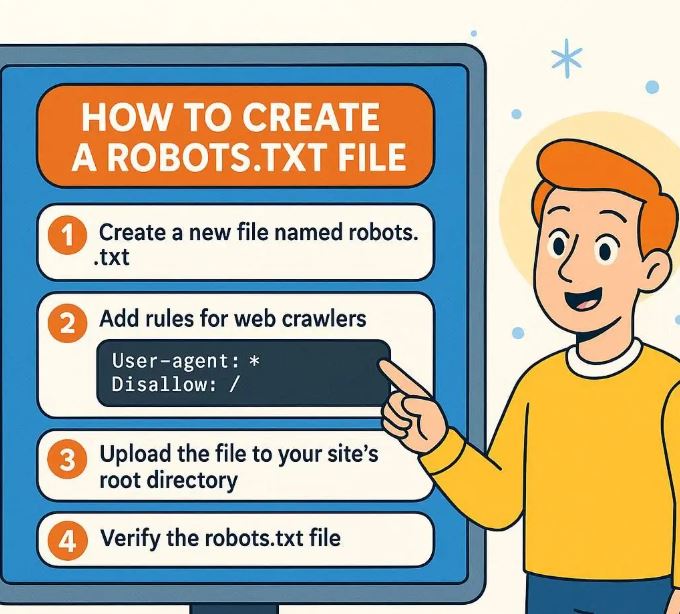
What is robots.txt
-
A
robots.txtfile is a plain text file placed in the root of your website that gives instructions to web crawlers (like Googlebot) about what pages or sections of your site should or should not be crawled. -
It follows the Robots Exclusion Standard (sometimes also called the Robots Exclusion Protocol).
-
It’s not a security measure. Crawlers may ignore it, and it doesn’t prevent pages from being indexed under certain conditions. If you need to keep something private or prevent indexing, use meta tags (
noindex), password protection, or other methods.
Why Use a robots.txt File
Here are common reasons you might need one:
-
To prevent crawling of duplicate content (e.g. print views, staging sites, admin or backend pages) so you don’t waste crawl budget.
-
To speed up crawling by telling bots to ignore parts of your site that aren’t useful for search (e.g. scripts, styles, images if you serve them via CDN or don’t need them crawled).
-
To point to your sitemap(s) so crawlers can discover all your important content.
Where to Put the robots.txt File & Basic Rules
-
Name and Location
-
The file must be named exactly
robots.txt. -
It must be placed at the root of the host (e.g.
https://www.yoursite.com/robots.txt). If it’s in a subfolder, many crawlers will ignore it.
-
-
Encoding and Format
-
Plain text, UTF-8 encoded.
-
Use simple ASCII characters; avoid fancy quotes or formatting that could break parsing.
-
-
Validity Scope
-
The file affects only the host, protocol (HTTP or HTTPS), and port it’s placed on. For example, rules in
https://www.example.com/robots.txtwon’t apply tohttp://example.com/orhttps://subdomain.example.com/.
-
-
Size Limitation
-
Google limits
robots.txtto 500 KiB (about 512,000 bytes). Anything beyond that is ignored.
-
Syntax & Key Directives
Here are the main directives you’ll see / use in robots.txt:
| Directive | Purpose | Example syntax |
|---|---|---|
User-agent: |
Specifies which crawler(s) the rule applies to, e.g. Googlebot, *. |
User-agent: * |
Disallow: |
Paths the user-agent cannot crawl. | Disallow: /private/ |
Allow: |
Paths the user-agent can crawl, even if parts of parent directory are disallowed. | Allow: /private/public-info.html |
Sitemap: |
Where your sitemap is located (helps crawlers find pages faster). | Sitemap: https://www.example.com/sitemap.xml |
-
You can use the wildcard
*for matching all crawlers. -
Comments start with
#and are ignored. Useful to annotate your file.
Step-by-Step: How to Create & Deploy a robots.txt
Here’s a practical workflow:
-
Open a plain text editor
Use something simple like Notepad (Windows), TextEdit (Mac in plain-text mode), or any code editor (VS Code, Sublime, etc.). -
Write the rules
Decide what you want crawlers to do. Here are some example scenarios:-
Allow everything (default behavior):
User-agent: * Disallow: Sitemap: https://www.yoursite.com/sitemap.xml -
Disallow a private/admin area:
User-agent: * Disallow: /admin/ -
Disallow all bots completely (use only if site is under development):
User-agent: * Disallow: / -
Different rules for different bots:
User-agent: Googlebot Allow: / User-agent: * Disallow: /beta/
-
-
Save the file
Asrobots.txt, ensure it’s plain-text, UTF-8 encoded. -
Upload to your server root
Using FTP, SFTP, control panel, or your hosting provider’s file manager. The path should make the file reachable athttps://yourdomain.com/robots.txt. -
Test your
robots.txt-
Visit
https://yourdomain.com/robots.txtin browser to verify it appears. -
Use tools like Google Search Console → Robots Testing Tool to see whether rules are working as intended.
-
-
Monitor and update as needed
If you add new sections, URLs, or change your site structure, revisit yourrobots.txtrules. Use Search Console to detect crawl issues.
Best Practices & Common Mistakes
| Best Practice | Why It’s Important |
|---|---|
| Only block what you really need to block | Overblocking (e.g. disallowing CSS/JS) can prevent Google from rendering pages correctly. |
Don’t use robots.txt to prevent indexing of URLs you want hidden via search results – use noindex meta tags instead |
If a page is disallowed from crawling, Google might still index the URL (without content snippet). |
| Include your sitemap(s) | Helps crawlers discover content more efficiently. |
| Keep the file small and simple | To stay under size limits and avoid misconfigurations. |
| Use comments to document purpose of rules | Helps long-term maintenance. |
Common Mistakes
-
Placing
robots.txtin the wrong location (subfolder instead of root) → crawlers ignore it. -
Naming the file incorrectly (e.g.
robot.txt,robots.text) → won’t be recognized. -
Blocking essential CSS or JS so pages can’t render properly. This can harm SEO.
-
Relying only on
robots.txtto hide sensitive content → it’s public and not enforced by all bots.
Advanced Use Cases & Recent Updates
-
Google’s interpretation of the standard is continually updated. As of 2025, Google supports the standard directive set (
User-agent,Allow,Disallow,Sitemap). It ignores unused or invalid lines. -
Caching: Google caches
robots.txtfor up to ~24 hours (but may be longer in some conditions). -
Blocking AI or Data-Collection Bots: There is increasing attention on how AI bots versus search engine bots respect
robots.txt. Some platforms or services are introducing content-signal policies (e.g., via Cloudflare) to allow site owners to state whether content can be used for AI-training, etc. But many crawlers may ignore such signals. This is still evolving.
Example robots.txt Files
Here are several example files depending on different scenarios:
-
All pages crawlable, sitemap included
User-agent: * Disallow: Sitemap: https://www.example.com/sitemap.xml -
Block entire site (development mode) except for sitemap
User-agent: * Disallow: / Sitemap: https://www.example.com/sitemap.xml -
Block admin areas, allow everything else
User-agent: * Disallow: /admin/ Disallow: /user-settings/ # allow specific AJAX script even if inside admin Allow: /admin/ajax-script.js Sitemap: https://www.example.com/sitemap.xml -
Different rules for specific bots
User-agent: Googlebot Allow: / User-agent: Bingbot Disallow: /private-bing/ User-agent: * Disallow: /not-for-any-bot/ Sitemap: https://www.example.com/sitemap.xml
Summary
-
A
robots.txtfile is essential for guiding crawlers — telling them what to crawl and what to ignore. -
Place it at the root, name it properly, use the correct syntax, and keep it small and clean.
-
Use other tools (meta tags, sitemaps, secure access) when needed.
-
Always test via Search Console and monitor for crawl issues.
-
Be aware of new developments (AI-related policies, etc.) and adjust if required.



