Reading Time 12
Number of Words 2684
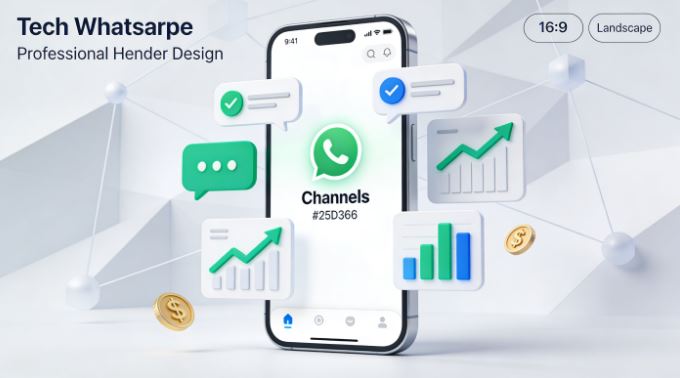
If you manage web projects, blogs, online stores, or any digital business, you've probably already experienced the frustration of relying on unpredictable social media algorithms. WhatsApp Channels are a game-changer: they allow you to communicate directly with your audience without intermediaries, without drops in organic reach, and without paying for every post you make.
With over 3.3 billion monthly active users in 2025 and a massive engagement (2.3 billion use WhatsApp daily), this platform has become the most powerful digital communication channel on the planet.
In this comprehensive guide, we explain how to create, configure, optimize, and monetize your own WhatsApp channel from scratch, with a practical approach for those who manage digital content, ecommerce, specialized blogs, or online services.
What is a WhatsApp Channel and Why You Should Create One
WhatsApp Channels function as a one-way broadcast system where you (the administrator) post updates and your audience receives them without overwhelming you with replies. It's like having your own digital radio station, but with the immediacy and reach of WhatsApp.
Key differences from other formats
Before creating your channel, you need to understand what differentiates it from traditional groups and communities:
| Format | Communication | Participants | Best for |
|---|---|---|---|
| Groups | Bidirectional, everyone can write | Up to 1,024 people | Collaborative conversations, technical support, work teams |
| Channels | Unidirectional, only admins can post | No clear limit on followers | Content distribution, advertisements, newsletters, promotions |
| Communities | Hierarchical organization of up to 100 related groups | Variable according to groups | Management of multiple thematic groups with a central hub |
For content managers, blogs, affiliates, online stores, or digital services, a channel is the ideal option: you maintain total control over communication, your audience receives instant notifications, and there is no chaos of crossed messages.
Why this matters for your digital strategy
WhatsApp marketing messages have an average click-through rate (CTR) of 15% , compared to just 2% for traditional email marketing . This means your promotions, blog updates, affiliate offers, or product launches are 7.5 times more likely to generate clicks and conversions.
Furthermore, 68% of users say they are more likely to buy from a brand they can chat with directly , making WhatsApp a critical tool for monetization and conversion.
How to Create Your WhatsApp Channel Step by Step
The process is surprisingly simple and requires no advanced technical knowledge. You can create your channel from your mobile device or from WhatsApp Web/Desktop.
Method 1: Create a channel from your mobile device
-
Open WhatsApp on your smartphone (Android or iOS)
-
Go to the "News" tab (where the Status/Stories also appear)
-
Tap the "+" icon located in the upper right corner
-
Select "Create channel" from the drop-down menu
-
Read the introduction about channels and press "Continue" or "Accept"
-
Configure the basic elements:
-
Channel name: Maximum 255 characters. Think strategically about something professional, descriptive, and memorable.
-
Description: Up to 139 characters. Clearly explain what type of content your followers will receive.
-
Profile picture: Use a high-quality logo, icon, or image that represents your brand or project
-
-
Press "Create channel" to finish
Method 2: Create a channel from WhatsApp Web or Desktop
If you prefer to work from your computer (especially useful for uploading professionally edited images or for bulk management), the process is just as simple:
-
Open WhatsApp Web in your browser (web.whatsapp.com) or the desktop application
-
Locate the channels icon on the left side of the interface
-
Click the "+" button to create a new channel
-
Select "Create channel" from the pop-up menu
-
Click "Continue" to proceed
-
Configure your name, description, and profile picture using the same criteria as on mobile.
-
Click on "Create channel" and you're done
Important: Once created, your channel exists on all your synchronized devices, allowing you to publish from mobile, tablet, or computer interchangeably.
Strategic Configuration: Optimize Your Channel From the Start
Once you've created your channel, take the time to configure it properly before promoting it. These details make all the difference between a professional channel and an amateur one.
Key elements of your channel identity
Channel name: Avoid generic names like "News Channel" or "2026 Deals." Use something specific that reflects your brand or niche. Effective examples:
-
"SEO and Digital Marketing"
-
"Tech & Mini PC Reviews"
-
"Gaming and Console Deals"
-
"Web Development with WordPress"
Optimized description: The first 50 characters are critical, as they appear in the previews. Include:
-
What type of content do you publish?
-
Approximate frequency of publications
-
Clear benefit for the follower
Example: "Weekly mini PC reviews, exclusive deals, and tech buying guides. Join so you don't miss a thing 🚀"
Professional profile picture: Use a square logo of at least 500x500px, with good contrast and legible even at small sizes. Avoid generic stock images or blurry screenshots.
Privacy and visibility settings
WhatsApp lets you choose between two types of channels:
-
Public channels: Anyone can discover them through WhatsApp search or directory. Ideal for massive growth and maximum visibility
-
Private channels: Accessible only by invitation or direct link. Useful for premium content, closed communities, or VIP groups
For most cases of public content, blogs, digital businesses, or affiliate marketing, a public channel maximizes your potential reach.
Add additional administrators
If you manage multiple projects or have trusted collaborators, you can add administrators to help you publish content:
-
Open your channel settings
-
Tap "Invite an administrator"
-
Select a contact from your list (it must be saved in your contacts)
-
The person will receive an invitation that they can accept or decline.
WhatsApp differentiates between "channel owner" (you, with full control) and "channel administrator" (collaborators with limited permissions). Administrators can post content but cannot delete the channel or change critical settings.
Strategies to Grow Your Channel
Creating the channel is just the first step. Now you need to gain active and engaged followers.
How to effectively share your channel
WhatsApp automatically generates a unique link for your channel that you can share on any platform:
-
Go to your channel settings
-
Select "Copy channel link"
-
The link has the following format:
https://whatsapp.com/channel/[tu-id-único]
Where to promote your channel link:
-
Header or main banner of your website
-
Footer on all pages with a clear CTA ("Join our WhatsApp channel")
-
Subscription pop-ups (an alternative to the traditional newsletter)
-
Email signature with badge or button
-
Biography of all your social media accounts (Twitter, Instagram, Facebook, LinkedIn, Threads, Bluesky)
-
Specific social media posts announcing the launch with exclusive benefits
-
Posts in your WhatsApp Status/Stories
-
Blog articles with interspersed CTAs
-
YouTube videos in description and end screen
-
Printable or digital QR codes for in-person events
Create effective launch content
Don't assume your audience will automatically understand why they should join. Create explanatory content:
-
Announcement post: Explain what a WhatsApp channel is, what your followers will receive, and why it's different from your other platforms.
-
List of exclusive benefits: Early bird offers, premium content, special discounts, access to information before anyone else
-
Concrete examples: Show screenshots of the type of content you will share
-
Initial incentive: Offer something valuable to the first X followers (ebook, discount code, free consultation)
Organic vs. Paid Promotion
Organic promotion (free but requires consistency):
-
Regular mentions in your existing content
-
Cross-promotion between your different platforms
-
Collaborations with other creators or complementary channels
-
SEO: Create an optimized blog post like "Join our WhatsApp channel"
Paid promotion (accelerates growth):
-
Facebook/Instagram ads with a direct CTA to the channel link
-
Google Ads directing to landing page with the link
-
Paid collaborations with influencers in your niche
-
Native advertising in specialized media
Types of Content That Work on WhatsApp Channels
The key to success lies not only in having followers, but in keeping them active and engaged. These are the formats that work best:
Educational and valuable content
-
Quick tutorials: How to do something in 5 steps or less
-
Tips and tricks: Actionable advice about your area of expertise (SEO, web development, gaming, tech)
-
Exclusive insights: Analysis you don't publish on other channels
-
Answers to frequently asked questions: Solutions to common problems of your audience
Multimedia content
WhatsApp Channels supports multiple formats, take advantage of them:
-
Images: Infographics, visual comparisons, data screenshots
-
Videos: Short reviews, unboxings, tutorials, behind the scenes
-
Voice notes: Personal messages, quick analyses, hot opinions
-
Documents: Downloadable PDFs, guides, checklists
-
Surveys: Polls to find out your audience's preferences
Commercial content (but tactfully)
-
Flash sales: Limited-time discounts with affiliate links
-
Product comparisons: Honest reviews with pros and cons
-
Price alerts: Notifications when monitored products drop in price
-
Exclusive discount codes: Coupons that you only share on the channel
-
Pre-releases: Early access to new items, products, or services
Behind-the-scenes content
Humanize your brand by showing the process:
-
How do you test products before writing reviews?
-
Article writing process
-
Mistakes and lessons learned (people identify with vulnerability)
-
Roadmap of upcoming projects seeking feedback
-
Metrics and real results (transparency builds trust)
Optimal schedule and frequency
There is no universal rule, but these guidelines work well:
-
Minimum: 2-3 posts per week to maintain a presence
-
Optimal: 1 post per day at consistent times
-
Maximum: 3-4 posts per day (more can overwhelm and generate silences/abandonments)
Create an editorial calendar using tools like Google Calendar, Notion, or Trello. Plan ahead to avoid last-minute improvisations.
Analytics and Measurement: Understand What Works
Unlike traditional WhatsApp groups, channels offer limited native basic metrics , but there are strategies to obtain deeper data.
Native WhatsApp Channels Metrics
WhatsApp provides basic analytics directly within the app:
-
Number of followers: Total number of people who follow your channel
-
Views: How many people saw each post
-
Reactions: Direct engagement with emojis
-
Survey results: If you use polls, you see the responses
Limitations: You don't get demographic data, location, peak activity times, or detailed retention rates.
Third-party tools for advanced analysis
For more in-depth analysis, you need to integrate external tools:
Google Analytics 4 (free):
-
Use UTM parameters in all links you share on your channel
-
Track how many visits to your website come from WhatsApp
-
It measures conversions: purchases, registrations, downloads originating from the channel
-
Analyze user flow: what they do after arriving from WhatsApp
Example of a UTM link:
https://tu-sitio.com/articulo?utm_source=whatsapp&utm_medium=channel&utm_campaign=promo-febrero
Specialized tools:
-
WHAMetrics: Advanced analytics specifically for WhatsApp with group and channel management
-
HubSpot: If you use CRM, connect WhatsApp for individual contact tracking.
-
Power BI: For advanced visualization by combining WhatsApp data with other sources
Critical KPIs to monitor
Depending on your goal, focus on these key metrics:
-
Follower growth rate: How many new followers do you gain weekly?
-
View rate: Percentage of followers who actually see your posts
-
CTR (Click-Through Rate): % of people who click on your links
-
Conversion rate: Percentage of users who complete a desired action (purchase, registration, download)
-
Engagement rate: Reactions and responses to surveys divided by total followers
-
Churn rate: How many followers do you lose monthly?
Monetizing WhatsApp Channels in 2026
Since mid-2025, Meta has progressively implemented direct monetization features in WhatsApp Channels, turning them into a tool not only for communication but also for revenue generation.
Paid subscriptions (WhatsApp Premium)
Channel administrators can activate monthly subscriptions where followers pay a recurring fee to access exclusive content:
How it works:
-
You set a monthly price (varies depending on the country and local regulations)
-
Subscribers gain access to exclusive publications, early access content, or additional benefits
-
During the initial phase, Meta does not charge a commission (0%), which makes it extremely attractive.
-
Payment is processed through Meta's native systems integrated with local methods
Use cases for content creators:
-
Free tier: General content, news, public offerings
-
Premium tier ($2-5/month): Detailed pre-publication reviews, in-depth analysis, exclusive discount codes, monthly group consulting
Practical example: If you manage minipc-review.com, you could offer:
-
Free: Announcements of new reviews and featured offers
-
Premium: Extended technical analysis, exclusive benchmarks, personalized purchase recommendations, 24-hour advance offer alerts
Advertisements on channels
WhatsApp has started showing targeted ads in the "News" tab :
-
Ads do not appear within private chats (which remain encrypted and ad-free).
-
They are shown among Status and Channel updates
-
Segmentation by language, geographic location, and behavior
-
Creators with large channels can participate in revenue share programs (limited availability by region)
Indirect monetization strategies
Beyond Meta's native features, you can monetize your channel through:
Affiliate marketing:
-
Share affiliate links from Amazon, AliExpress, Admitad with context and real value
-
Use link shorteners for more accurate tracking
-
Create genuine content, not spam with unexplained links.
Promotion of own services:
-
Consulting, web development, design, SEO
-
Online courses, ebooks, templates, SaaS tools
-
Paid guest posting and write-for-us
Sponsorships and collaborations:
-
Brands pay you to mention products relevant to your audience
-
Sponsored reviews with transparent disclosure
-
Collaborations with other complementary brands
Lead generation for own projects:
-
Use the channel to generate traffic to lookkle.com or other projects
-
Promote SaaS subscriptions or premium features
-
Build community before launching new products.
Privacy and Security in WhatsApp Channels
One of WhatsApp's key advantages over other platforms is its focus on privacy, and this extends to Channels.
Follower data protection
What administrators CAN'T see:
-
Phone number of your followers (unless they are already in your contacts)
-
Full profile information of unsaved followers
-
Follower activity outside the channel
-
Who specifically muted the channel or unfollowed it
What administrators CAN see:
-
Total number of followers
-
Views per post
-
Reactions and participation in surveys
-
Complete information only for followers you already had saved as contacts.
Data protection for administrators
If you are a follower:
-
You can follow channels semi-privately without revealing your number to strangers.
-
The administrator will only see limited information if you are not in their contacts.
-
You can unfollow a channel at any time without notification
If you are an administrator or contributor:
-
Your number and profile will be visible to other channel administrators.
-
Followers will see your profile name and photo associated with the channel.
Encryption and security
Although channel posts are not end-to-end encrypted (because they are public broadcast content), WhatsApp maintains robust security standards to protect the platform from spam, bots, and malicious content.
WhatsApp Business vs WhatsApp Business API vs Channels
It's important to understand the differences between the various WhatsApp tools in order to choose the right one for your use case.
| Feature | WhatsApp Personal + Channels | WhatsApp Business | WhatsApp Business API |
|---|---|---|---|
| Best for | Individual creators, small businesses | Small businesses (up to 5 employees) | Medium and large companies |
| Cost | Gratuitous | Gratuitous | Paid (based on message volume) |
| Channels | ✅ Yes | ✅ Yes | ✅ Yes |
| Device limit | 1 mobile phone + 4 linked devices | 1 mobile phone + 4 linked devices | Unlimited (API-based) |
| Official verification | ❌ No | ❌ No | ✅ Verified green badge |
| Automation | ❌ Limited | ⚠️ Basic (automatic replies) | ✅ Advanced (chatbots, integrations) |
| Analytics | ⚠️ Basic channels | ⚠️ Simple statistics | ✅ Complete with integrations |
| Mass messages | ❌ No (only broadcast channels) | ⚠️ Up to 256 contacts in lists | ✅ Unlimited |
| CRM/ERP Integration | ❌ No | ❌ No | ✅ Yes |
Recommendation: For most content creators, bloggers, affiliates, and small digital businesses, WhatsApp Personal with Channels is more than enough and completely free. Only consider the Business API if you need:
-
Official verification with green badge
-
Mass automation with chatbots
-
Deep integration with enterprise systems
-
Sending thousands of messages monthly with templates
Common Mistakes to Avoid
Based on best practices and common mistakes made by creators, these are the pitfalls you should avoid:
Initial configuration errors
Generic or undescriptive name: "Deals Channel 2026" says nothing about who you are or what value you bring. Use specific names that reflect your brand or niche.
A vague or unengaging description like "We share interesting things here" won't motivate anyone to follow you. Be specific about the value they'll receive.
Low-quality profile picture: Pixelated logos, blurry photos, or generic stock images detract from professionalism.
Content and strategy errors
Publishing without a plan: Improvising leads to inconsistency. Create at least a weekly editorial calendar.
Overloading with too many posts: More than 4-5 posts per day can cause users to mute or leave your channel.
Simply posting links without context: Sharing URLs without explaining why they are relevant or valuable is spam in disguise.
Ignoring feedback and metrics: If a post has very low views or zero reactions, analyze why and adjust your strategy.
Not actively promoting the channel: Creating the channel and expecting people to magically discover it doesn't work. You need constant promotion.
Monetization errors
Becoming an affiliate spammer: Sharing only Amazon links without providing real value destroys trust and generates massive abandonment.
Don't declare sponsored content: Transparency builds trust. If you're paid to mention something, say so clearly.
Trying to monetize before providing value: First build audience and trust, then monetize. Not the other way around.
Conclusion: Your WhatsApp Channel as a Strategic Digital Asset
In 2026, with over 3.3 billion active users and engagement rates up to 7.5 times higher than email marketing, WhatsApp Channels represents one of the most powerful tools for content creators, bloggers, affiliates, and digital businesses.
Unlike traditional social media where you depend on unpredictable algorithms and decreasing organic reach, your WhatsApp channel is a digital asset that you control 100%: direct communication with your audience, without intermediaries, without algorithmic filters, without paying for reach.
Creating a channel is simple and free, but success requires strategy: valuable and consistent content, active promotion, metrics analysis, and constant adaptation. Treat your channel like any other major digital project: with planning, professionalism, and a focus on the real value you bring to your audience.
If you manage blogs, online stores, SaaS projects, affiliate content, or any digital business, creating your WhatsApp channel today can become one of your most profitable traffic and conversion channels in the coming months.
Take immediate action: Open WhatsApp right now, create your channel in 5 minutes, and share the link across all your platforms. The best strategy is the one you execute, not the one you just plan.