Reading Time 6
Number of Words 1223
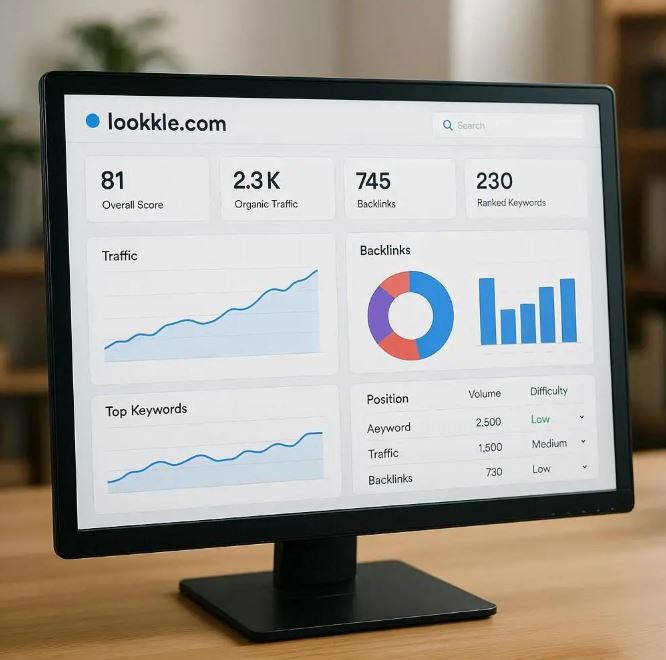
What Is Lookkle’s SEO Site Explorer?
Lookkle’s SEO Site Explorer lets you analyze a domain (yours or a competitor’s) by revealing:
-
Estimated traffic and traffic sources
-
Keywords the site ranks for
-
Backlink profile (which domains link in)
-
Top pages of the domain
-
Historical trends and growth metrics
It’s a competitive intelligence tool, you input a URL and get a dashboard of how that site performs in search and SEO.
Why Use It for Competitive Research?
By analyzing competitor sites, you can:
-
Discover which keywords they rank for (that you don’t)
-
Find high-value content pages to emulate
-
Identify potential backlink sources
-
See traffic trends (growth, decline)
-
Benchmark your site’s visibility against theirs
Step-by-Step Tutorial
Below is a walkthrough of how to use SEO Site Explorer from Lookkle for competitor and site research.
1. Get Access & Input URL
-
Go to SEO Site Explorer on Lookkle:
lookkle.com/tool/seo-site-explorer. -
Sign up or log in (some features may require a paid plan).
-
In the input field “Enter a URL”. Type the competitor’s url (e.g. https://www.
example.com) or your own. -
Click Search.
The tool will fetch data and present you with several sections or tabs.
2. Overview / Dashboard
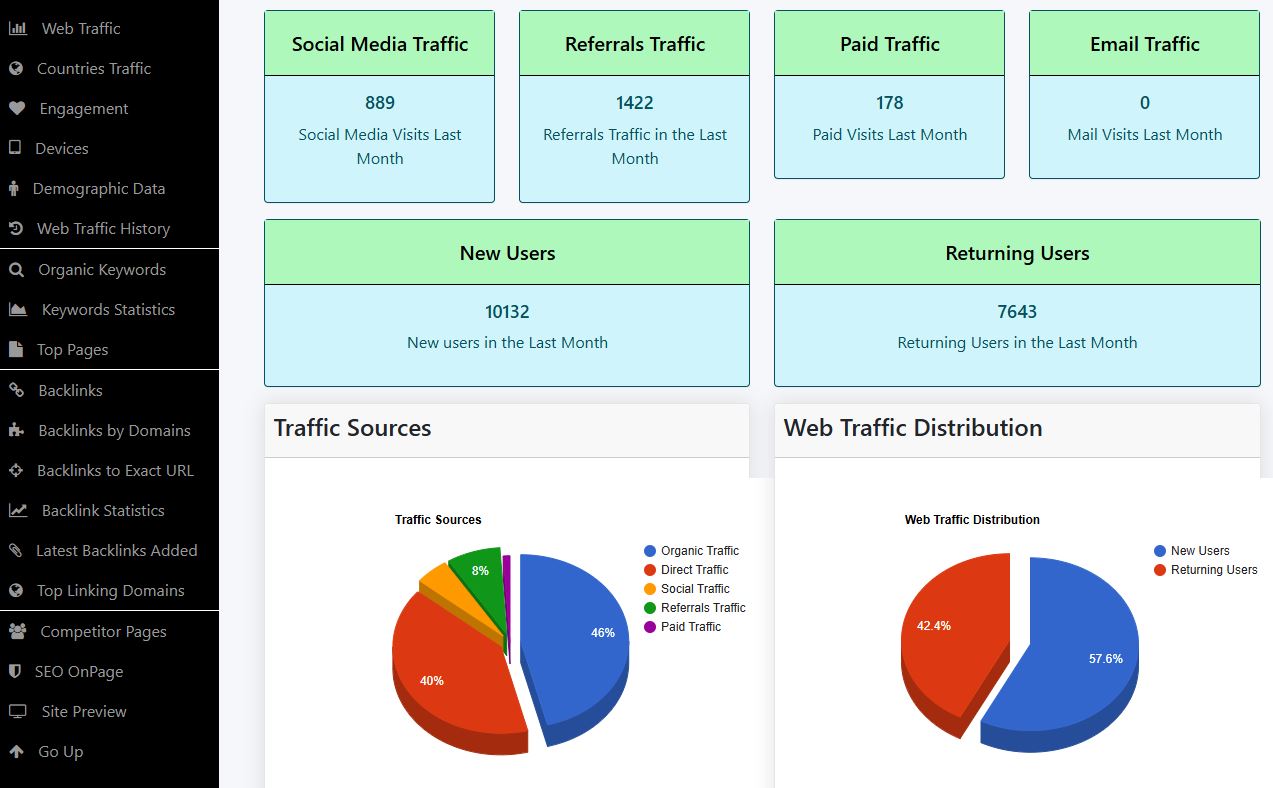
Once the data loads, you’ll see a summary dashboard with key metrics such as:
-
Estimated monthly traffic
-
Traffic trend chart (past months / years)
-
Traffic by country or geography
-
Traffic sources breakdown (organic search, direct, referral, social)
-
Top keywords overview
-
Total backlinks, referring domains and charts
-
Competitor Pages
-
On-page SEO analysis with all the errors that your website has, such as titles, page configuration, security, robot file, and others.
This gives you a quick snapshot of how strong the site is in SEO and traffic.
3. Keyword Analytics
Look for Organic Keywords tab. There you can:
-
See the list of keywords the site ranks for
-
Check position (ranking) of each keyword
-
Search volume or estimated traffic per keyword
-
Which keywords generate most traffic
-
Gaps: keywords your competitor ranks for but you don’t
Use filters (position range, traffic threshold and other) to narrow to high-impact keywords.
4. Backlink / Link Profile Analysis
Lookkle will provide a Backlinks or Link Profile section. Key data might include:
-
Total backlinks
-
Referring domains
-
Top linking domains (which sites link most)
-
Anchor text distribution (which keywords are used in those inbound links)
-
New / lost backlinks over time
-
More features
You can often click into specific backlinks to see details like URL, page title, link context, and link quality. Use that to find sites you might reach out to for your own links.
5. Top Pages
Top Pages section showing which pages on that domain attract the most organic traffic:
- Page URL
- Estimated traffic to that page
- Keywords ranking on that page
This helps you identify content formats or topics that perform well — ideas to replicate or improve upon.
6. Traffic Trends & History
Use the Trends / Historical / Growth tab to:
-
See traffic growth over months and years
-
Spot dips or spikes (events, algorithm changes)
-
Compare competitor trajectory vs your own
Understanding trends helps you understand whether their SEO is gaining momentum or losing strength.
7. Competitor Comparison
Analyze the following data for each competitor's website:
- Ranking
- Web traffic
- New users
- Returning users
- Direct traffic
- Search engine traffic
- Social media traffic
- Referral traffic
- Email traffic
- Bounce rate
- Users leaving the Site
- Pages per visit
- Time on site
- Main Country
- Domain date
By analyzing these metrics with Lookkle SEO Site Explorer, you can:
-
Identify content and keyword gaps in your niche.
-
Discover which traffic sources work best for your competitors.
-
Measure real audience quality instead of just volume.
-
Prioritize SEO, social, or branding strategies based on data.
-
Spot geographic and backlink opportunities for expansion.
9. On-Page SEO Analysis
Perform a comprehensive analysis of potential errors in your website's design and configuration. Some of the elements analyzed on your site include:
- Page title
- Meta description
- Headings (H1, H2, H3, etc.)
- Content such as text, images, videos, and other page information.
- Keyword optimization
- Image optimization
- Friendly URLs
- Loading speed
- Internal links
- Sitemap
- Robot.txt
- https security
- Cache
- Other
Tips & Best Practices
-
Start with your top competitors: analyze 2–3 similar sites in your niche.
-
Filter for high-value terms: focus on keywords with decent volume and traffic potential, not just “low-hanging fruit.”
-
Look for “link gaps”: sites linking to competitors but not to you — outreach opportunities.
-
Watch trends over time: one month is noise; 6–12 months gives clearer direction.
-
Benchmark vs. yourself: run your own domain and see where competitors outrank you.
-
Combine with your internal data: Use your Google Search Console or analytics data to verify which competitor keywords you already have traction on.
Practical Benefits of Using Lookkle's SEO Site Explorer Tool
A small webmaster can reap significant practical benefits from using Lookkle's SEO Site Explorer tool, as it is designed to offer comprehensive traffic and SEO analysis without requiring advanced technical knowledge.
Here are the main benefits:
🚀 1. Understand How Traffic Arrives at Your Site
SEO Site Explorer displays traffic sources (organic, direct, social, referral, etc.), allowing the webmaster to understand where their visitors are coming from and which channels are performing best.
🔹 Benefit: Optimize time and budget by focusing on the sources that actually generate visits.
🔍 2. Easily Analyze the Competition
The webmaster can compare their domain with competitors in the same niche and discover:
Which keywords drive the most traffic to other sites.
Which pages are most visited.
Which countries generate the most audiences.
🔹 Benefit: Learn directly from your competitors' strategies and replicate what works.
📈 3. Detect opportunities for organic growth
The tool reveals a domain's organic keywords and top-ranked pages.
🔹 Benefit: Find terms and content you could target to climb Google rankings without spending on advertising.
💡 4. Understand your visitors' behavior
Lookkle's SEO Site Explorer displays metrics such as:
- Bounce rate
- Pages per visit
- Average time on site
🔹 Benefit: Identify whether users are interested in your content and improve the web experience to increase engagement.
🌍 5. Understand your audience by country and device
The webmaster can see from which countries and on which devices their users arrive.
🔹 Benefit: Adapt your content, language, or web design to improve conversion in the most active markets.
🧭 6. Evaluate backlinks and external mentions
The backlink module shows which sites link to your domain (or your competitors').
🔹 Benefit: Discover link building opportunities and improve your page's authority in search engines.
💰 7. Save time and money
Unlike premium tools like Ahrefs or SEMrush, Lookkle offers comprehensive analytics without high costs or complex setup.
🔹 Benefit: Professional results at a low cost — ideal for freelancers, bloggers, or small businesses.
🧩 8. Make decisions based on real data
All information (traffic, engagement, SEO, backlinks, geography) is presented visually and easy to interpret.
🔹 Benefit: Webmasters can plan their digital strategy with accurate data, not assumptions.
On-Page SEO Analysis Provides Multiple Strategic Benefits for Any Website
Here are the main benefits:
1. Improve Search Engine Ranking
On-Page SEO analyzes and optimizes internal factors such as:
- Titles and meta descriptions
- Headings (H1, H2, H3, etc.)
- Friendly URLs
- Image ALT tags
Benefit: Increases the relevance of each page to Google and other search engines, increasing the likelihood of appearing in the top search results.
2. Optimize User Experience (UX)
Includes evaluating:
- Page loading speed
- Responsive design (adapted to mobile and tablets)
- Navigation structure and internal links
Benefit: Visitors interact better with the site, stay longer, and visit more pages, which reduces the bounce rate.
3. Increase Keyword Relevance
On-Page Analysis checks that keywords are used strategically in:
- Titles, headings, and paragraphs
- URLs and meta descriptions
- Image alt text
Benefit: Improves the site's ability to rank for relevant terms and attract qualified traffic.
4. Detect and Fix Technical Issues
Includes identifying:
- Broken pages (404 errors)
- Incorrect redirects
- Duplicate content
- Indexing issues
Benefit: Ensures search engines can properly crawl and index the site, avoiding penalties or loss of visibility.
5. Improve Speed and Performance
Factors such as:
- Image size
- Unnecessary scripts and CSS
- Caching and compression
Benefit: A faster site improves the user experience and is a ranking factor for Google.
6. Strengthen your internal link strategy
On-page analysis allows you to:
- Optimize your internal link structure
- Prioritize key pages
- Facilitate navigation
Benefit: Improves the distribution of authority within your site and helps search engines understand the content hierarchy.
7. Increase your conversion rate
An optimized on-page site:
- Relevant and easy-to-read content
- Visible calls to action
- Smooth navigation
Benefit: Users find



