Reading Time 7
Number of Words 1351
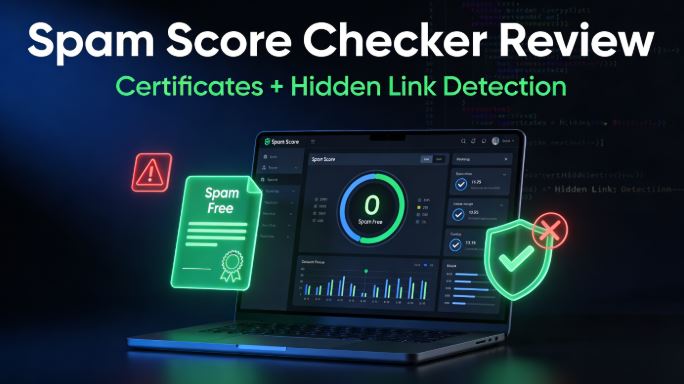
If you work in SEO, you already know that a single toxic backlink or a hidden spammy element can silently tank your rankings overnight.
The question is: how do you detect what Google sees before Google penalizes you?
What Is a Web Spam Score?
A spam score is a 0–100 metric that measures how likely a website is to be penalized or banned by search engines based on spam-related signals. A score of 0 means clean, while 100 means extremely high risk. Search engines like Google analyze dozens of on-site and off-site signals to determine trustworthiness, and tools like Lookkle's spam checker replicate this analysis so SEO professionals can act before an algorithmic or manual penalty strikes.
The most dangerous aspect of spam signals is that many are invisible to the naked eye: hidden text, cloaked links, and manipulative anchor text patterns don't show up when you browse a site normally — but Google sees every single one.
Why Every SEO Professional Needs a Spam Checker
A high spam score doesn't automatically mean a penalty, but it dramatically increases the risk. Here's what's at stake:
-
Hidden ranking suppression: High spam signals cause rankings to stagnate or drop suddenly, even without an explicit manual action
-
Link equity loss: Spammy or toxic backlinks dilute the value of your legitimate link profile, weakening domain authority
-
Manual review risk: Consistently poor spam signals increase the likelihood of a Google manual review, which can result in site-wide penalties
-
Client trust: Agencies need to prove their sites are clean — especially when managing link-building campaigns for clients
Web Spam Score Checker: Full Review
Spam checker is part of a broader suite of web analytics tools trusted by developers optimizing over 10,000 sites. Unlike basic analyzers that only check backlinks, This tool scans 20+ spam signals simultaneously — covering both on-page and off-page factors in a single scan.
✅ Key Features
1. 0–100 Spam Score with Full Breakdown
The tool delivers a clear numerical score where 0 = completely clean and 100 = high risk. Crucially, it doesn't just give you the number — it breaks down which specific signals are triggering the score, so you know exactly where to act.
2. Hidden Link & Hidden Text Detection
This is where Lookkle genuinely stands out. The tool scans your HTML for hidden text and hidden links — elements invisible to users but readable by search engine crawlers. These are classic Black Hat SEO tactics used in link injection attacks and negative SEO campaigns, and most basic tools miss them entirely.
3. Keyword Stuffing Detection
Excessive keyword density is one of the most common unintentional spam triggers. Lookkle flags content where keyword stuffing exceeds safe thresholds — for example, detecting keyword densities above 12% that trigger spam filters even when the content looks fine to human readers.
4. Suspicious Link Profile Analysis
The tool audits your internal and external link structure, identifying suspicious link schemes, manipulative anchor text distributions, and unnatural followed/nofollowed link ratios. Sites with a large proportion of followed links relative to nofollowed are statistically more likely to be flagged as spam.
5. 📄 Downloadable Spam-Free Certificate
This is arguably Lookkle's most unique feature for SEO agencies and freelancers. Once your site achieves a clean score, you can download an official spam-free certificate to share with clients, agencies, or partners. This transforms an SEO audit result into a tangible deliverable — proof of a healthy, trustworthy website that can be included in reports and proposals.
6. One-Click Full Site Scan
No complex setup or configuration required. A single click triggers a complete scan of your site's structure, content, and link profile, returning actionable results in seconds.
7. Free Forever
Lookkle's spam checker is available at no cost with no usage limits — making it accessible to solo SEO consultants, agencies, and in-house teams alike.
📊 What the spam checker tool scans: 20+ signs of spam
| Category | Signals Detected |
|---|---|
| Content | Keyword stuffing, thin content, duplicate content, auto-generated text |
| Links | Hidden links, link schemes, suspicious anchor text, follow/nofollow ratios |
| Technical | Hidden text (CSS/JS), cloaking indicators, SSL status |
| Structure | Internal link patterns, redirect chains, page structure anomalies |
| Off-page | External link quality, toxic domain connections |
🧪 Real-World Test Case
Own documented case studies show the real impact of acting on spam scores:
Problem site: Keyword stuffing at 12%, 45% suspicious links, hidden text detected.
Result after fixing: Rankings recovered 40% in just 2 days.
Clean site example: Natural content, quality links, zero cloaking.
Result: Consistent top 3 rankings for 6 months straight.
These aren't edge cases — they reflect what SEO professionals consistently see when spam signals are cleaned up systematically.
How to Use Spam Checker: Step by Step
-
Enter your website URL in the input field
-
Click "Check Spam Score" to initiate the full scan
-
Review your 0–100 score and read the breakdown of detected issues
-
Prioritize fixes based on the recommendations provided (hidden links first, then keyword density, then link profile)
-
Re-scan after fixing to verify improvements
-
Download your Spam-Free Certificate once your score reaches a clean level — and share it with clients or include it in your SEO reports
Lookkle vs. Other Spam Score Tools
| Feature | Lookkle | Moz Link Explorer | SmallSEOTools | DapaChecker |
|---|---|---|---|---|
| Price | Free (10 queries/day) | Free (10 queries/mo) | Free | Free |
| Hidden Link Detection | ✅ Yes | ❌ No | ❌ No | ❌ No |
| Keyword Stuffing Check | ✅ Yes | ❌ No | ❌ No | ❌ No |
| Downloadable Certificate | ✅ Yes | ❌ No | ❌ No | ❌ No |
| On-page Spam Signals | ✅ 20+ signals | ❌ Links only | ⚠️ Basic | ⚠️ Basic |
| Full Site Structure Scan | ✅ Yes | ❌ No | ❌ No | ❌ No |
| Actionable Recommendations | ✅ Yes | ⚠️ Limited | ⚠️ Limited | ❌ No |
Moz's spam score is the industry benchmark for backlink analysis, but it focuses exclusively on the link profile. Lookkle is the only free tool that combines on-page spam detection, hidden element scanning, and a downloadable clean certificate in a single free tool.
Q&A: Frequently Asked Questions About Spam Score & Lookkle
❓ What is a good spam score for a website?
A score between 0–30 is considered low risk and healthy. Scores between 30–60 require investigation and cleanup. Anything above 60 is high risk and demands immediate action before search engines take notice.
❓ Does a high spam score automatically cause a Google penalty?
Not automatically — but it significantly increases the probability. A high spam score means your site shares characteristics with sites that have been penalized. Google uses both algorithmic filters and manual reviewers, and a site with multiple spam signals is far more likely to trigger both.
❓ What causes a high spam score?
The most common causes are:
-
Toxic or low-quality backlinks from link farms or PBNs
-
Keyword stuffing in content, titles, or meta tags
-
Hidden text or links injected via CSS or JavaScript
-
Unnatural anchor text patterns (over-optimized exact match anchors)
-
Thin or duplicate content with low editorial value
-
Link schemes — excessive reciprocal links or paid links without nofollow
❓ What makes hidden links so dangerous for SEO?
Hidden links are inserted into a page's HTML but made invisible to users via CSS (display:none, color:white, tiny font size, etc.). Search engine crawlers read them and count them as real links — meaning your site may be unknowingly passing link equity to spam sites, or hosting injected links from a hack. Google considers this a serious violation of its Webmaster Guidelines and can issue manual penalties for it.
❓ How is Lookkle's spam checker different from Moz?
Moz's spam score is exclusively based on backlink profile analysis — it checks whether the domains linking to you look spammy. Lookkle goes much further by also scanning on-page elements: hidden text, keyword stuffing, content quality, internal link structure, and cloaking signals. For a complete spam audit, both tools complement each other.
❓ Who is the downloadable certificate useful for?
The downloadable spam-free certificate is particularly valuable for:
-
SEO agencies proving deliverable results to clients
-
Freelancers including clean-site proof in proposals and reports
-
Site owners seeking guest posting partnerships or link exchanges
-
E-commerce sites building trust with potential business partners
-
New websites demonstrating credibility to advertisers and sponsors
❓ How often should I check my spam score?
For active websites, a monthly spam score audit is a best practice. If you're actively building links or have recently published a lot of new content, check every two weeks. Always run a spam check after a major Google algorithm update to ensure your site hasn't been newly flagged.
❓ Can negative SEO increase my spam score?
Yes — this is one of the most insidious risks in competitive SEO niches. Competitors can deliberately point thousands of toxic backlinks at your site to artificially inflate your spam score and trigger a penalty. Regular spam monitoring with tools like Lookkle allows you to detect and disavow these attacks before they cause lasting ranking damage.
❓ What should I do first if my spam score is high?
Follow this priority order:
-
Fix hidden links and hidden text immediately — these are the most severe signals
-
Disavow toxic backlinks using Google's Disavow Tool
-
Rewrite keyword-stuffed content to natural density levels
-
Remove or nofollow suspicious external links
-
Re-scan with Lookkle to verify improvements
-
Submit for re-indexing via Google Search Console once clean



